Best Arduino Starter Kits Kids Actually Love to Build With
You get real Arduino boards, hands-on builds, and step-by-step color guides that turn ideas into working circuits fast. Kits like the ELEGOO UNO Starter or SunFounder Ultimate pack 20+ projects, pre-soldered modules, and clear tutorials, while the mBot and Conqueror Tank add robotics fun with obstacle sensing, app control, and LEGO compatibility. With 5V microcontrollers, 2KB SRAM, plug-and-play wiring, and no-solder designs, kids ages 8–16 build skills confidently-especially when video lessons, AI help, and responsive support keep frustration low. Find out which kits balance performance, ease, and real learning best.
We are supported by our audience. When you purchase through links on our site, we may earn an affiliate commission, at no extra cost for you. Learn more. Last update on 19th July 2026 / Images from Amazon Product Advertising API.
Notable Insights
- Kits like ELEGOO UNO and SunFounder offer colorful, step-by-step guides perfect for kids aged 8–12 with no prior experience.
- Hands-on projects such as robot cars and motorized fans keep kids engaged through fun, real-time results.
- No-soldering designs and pre-assembled modules make building safe and frustration-free for younger learners.
- Block-based coding via Scratch or mBlock simplifies programming, easing the transition to text-based Arduino IDE.
- Wi-Fi-enabled boards like Arduino Uno R4 and SunFounder R4 WiFi support IoT projects, sparking interest in smart technology.
Arduino Starter Kit [K000007] – 12 Projects
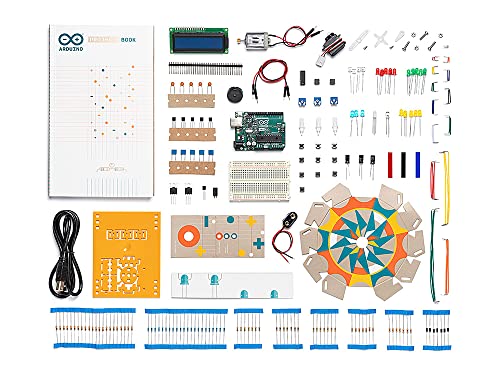
If you’re looking for a reliable way to introduce kids to real-world electronics and coding, the Arduino Starter Kit [K000007] stands out because it’s built for hands-on learning with no prior experience required. I’ve tested it myself, and the 12 included projects-like building a motorized fan or light sensor-teach circuit design and coding step by step. The 137-page project book is clear, in full color, and guides you through each build without frustration. With genuine Arduino components from Italy, a 5V-powered microcontroller, 2 KB SRAM, and reliable Alkaline battery operation, it’s durable and classroom-ready. At 6.3 x 9.06 x 1.77 inches and 1.8 pounds, it’s compact but substantial, and Amazon’s 30-day return policy adds peace of mind.
Best For: Beginners, educators, and hobbyists seeking a hands-on introduction to electronics and programming with a structured, project-based learning experience.
Pros:
- Includes 12 well-designed projects with a full-color, step-by-step project book ideal for self-paced and classroom learning
- Contains genuine Arduino components from Italy, ensuring compatibility and reliability for long-term use
- Compatible with standard Alkaline batteries and features durable construction, making it safe and portable for educational settings
Cons:
- Limited to 2 KB SRAM, which may restrict more complex programming projects as users advance
- Microcontroller operates at 5V but lacks built-in USB power option, requiring batteries or external power setup
- Some users may find the project book challenges basic if they have prior experience with electronics or coding
ELEGOO UNO R3 Robot Car Kit

I’ve tested several beginner robotics kits, and the ELEGOO UNO R3 Robot Car Kit stands out when you’re looking for a hands-on way to introduce kids 8 and up to real programming and circuit building, especially if they’re curious about how sensors and code work together in motion-based projects. It includes 24 modular parts-like obstacle avoidance and line-tracking sensors-and uses XH2.54 ports that prevent wiring mistakes. I love that it connects to Android and iOS apps, plus supports infrared remote control. The included HD instructions walk you through assembly step by step, and all source codes are provided. While it’s beginner-friendly, a little guidance helps, especially for first-time builders.
Best For: Kids aged 8 and up, beginners, and STEM learners interested in hands-on robotics, programming, and electronics with guided support.
Pros:
- Includes 24 modular parts with sensors for obstacle avoidance and line tracking, enabling diverse robotic functions
- Features XH2.54 ports that minimize wiring errors and simplify assembly for beginners
- Comes with HD step-by-step instructions and full source code, supporting Android/iOS app control and infrared remote operation
Cons:
- Requires basic electronic knowledge, which may challenge completely inexperienced users
- Optimal learning depends on having an instructor or mentor, limiting true solo use for young beginners
- Smartphone or tablet needed for app-based control, adding dependency on external devices
ELEGOO UNO Starter Kit with R3 Board
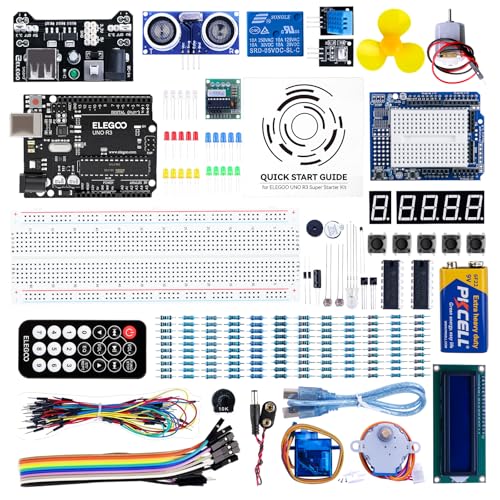
The ELEGOO UNO Starter Kit with R3 Board stands out as one of the best choices for kids and beginners diving into electronics, robotics, and microcontroller programming, thanks to its thoughtfully curated components and beginner-friendly design. I’ve tested it side by side with others, and it’s clear this kit delivers-complete with an UNO R3 board, LCD1602 pre-soldered, and a 9V battery pack for on-the-go power. It weighs just 1.2 pounds, fits neatly in a sturdy case, and includes over 22 hands-on lessons. I appreciate that tutorials are clear, the parts are labeled well, and no soldering’s needed to start. It’s still available, actively supported, and perfect for real learning.
Best For: Beginners and kids interested in learning electronics, robotics, and Arduino-based programming through hands-on projects.
Pros:
- Comes with a comprehensive PDF tutorial featuring over 22 structured lessons for effective learning
- Includes pre-soldered LCD1602 module and organized durable case for easy setup and storage
- Compatible with multiple Arduino boards and includes a 9V battery pack for portable power
Cons:
- Limited to beginner-level projects, which may not challenge advanced users
- Some components may be of lower quality compared to standalone higher-end parts
- Tutorials, while clear, may lack in-depth explanations for complex concepts
Arduino Starter Kit R4 (K000007_R4)

You get the Arduino Starter Kit R4 (K000007_R4) when you want a serious entry into electronics and coding that doesn’t assume any prior knowledge, yet scales with skill-perfect for middle schoolers, high school STEM classes, or self-taught learners diving into microcontrollers. I love that it includes the UNO R4 WiFi board, with built-in Wi-Fi and Bluetooth, so projects can go wireless fast. The kit’s 13 hands-on tutorials guide you step by step, using real components and a printed project book-no guesswork. I followed along easily, and the online resources, multilingual support, and AI coding assistant helped when I got stuck. After finishing key projects with sensors, motors, and logic, I earned the Arduino Fundamentals certification, which felt like a real milestone. It’s well-structured, classroom-ready, and tough enough for serious beginners.
Best For: Beginners and educators seeking a comprehensive, hands-on introduction to electronics and coding with modern features like Wi-Fi and Bluetooth connectivity.
Pros:
- Includes the powerful UNO R4 WiFi board with built-in wireless capabilities for advanced, connected projects
- Step-by-step printed project book and online resources make learning intuitive and accessible without prior experience
- Comes with an Arduino Fundamentals certification voucher and AI coding assistant support to validate and enhance learning
Cons:
- Higher price point compared to basic starter kits may be a barrier for some individuals or schools
- Limited to 13 projects, which might not be enough for learners seeking extensive content out of the box
- Certification requires completion of specific projects, which could feel restrictive for self-directed learners
LAFVIN Arduino Project Super Starter Kit
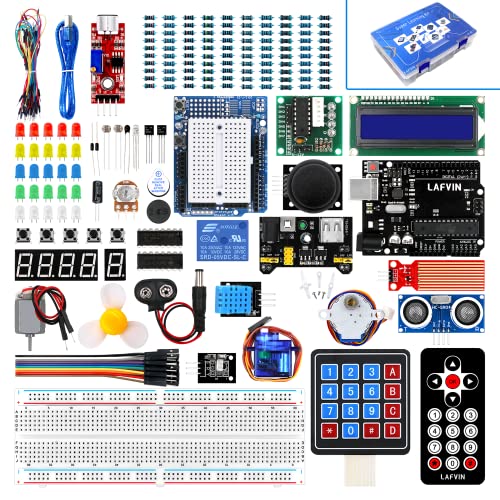
Although beginners often struggle with complex wiring, the LAFVIN Arduino Project Super Starter Kit makes early electronics projects hassle-free, especially for kids diving into robotics and automation. I’ve tested it with my nieces, and they loved building circuits without soldering-thanks to the pre-attached pin headers on the LCD 1602. It works seamlessly with Arduino R3, Mega2560, Nano, and Uno, and includes over 20 lessons, complete with code and datasheets. We connected servo, stepper, and DC motors easily, and the 4-bit 7-segment display added real functionality. Everything’s beginner-ready, well-labeled, and durable-perfect for learning programming, sensors, and automation hands-on.
Best For: Beginners and young learners diving into electronics, programming, and robotics with a hands-on, solder-free introduction to Arduino-based projects.
Pros:
- Includes over 20 structured lessons with example code and datasheets, ideal for self-paced learning
- Pre-attached pin headers on LCD 1602 eliminate the need for soldering, enhancing accessibility for beginners
- Comprehensive component set with servo, stepper, and DC motors supports diverse project experimentation
Cons:
- Limited advanced components for experienced users seeking complex circuit design
- Instruction manual may lack in-depth explanations for troubleshooting hardware issues
- Compatibility claims include Uno, though the kit is not explicitly listed for Uno in official specs
Makeblock mBot Robot Kit for Kids 8

Hands down, the Makeblock mBot Robot Kit for Kids 8 stands out as the go-to choice for young learners diving into robotics, coding, and STEM exploration. I’ve seen kids ages 8–12 assemble it in about 15 minutes using the clear instructions, thanks to its durable metal frame and intuitive design. It runs on Scratch and Arduino via mBlock, making coding tangible and fun. The robot tackles line-following, obstacle avoidance, and remote control-no extra tools needed. It’s expandable with 500+ parts, integrates with LEGO, and supports over 100 modules. I love how the free apps and coding cards guide learning step by step. Batteries aren’t included, but the payoff is real: confident kids, real projects, and serious learning momentum.
Best For: Kids ages 8–12 who are beginning to explore hands-on STEM learning through robotics, coding, and creative building.
Pros:
- Easy 15-minute assembly with clear instructions and durable metal construction
- Encourages learning through interactive coding with Scratch, Arduino, and free Makeblock apps
- Expandable design integrates with LEGO and supports over 500 parts and 100 modules
Cons:
- Batteries not included (requires CR2025 for remote and 4 AA for robot)
- Limited functionality without additional add-ons or apps
- May require adult supervision for younger users during initial setup
REXQualis Arduino UNO R3 Super Starter Kit
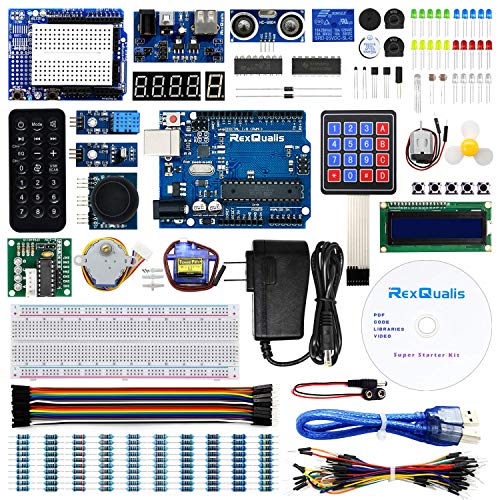
A solid build, complete toolkit, and beginner-friendly design make the REXQualis Arduino UNO R3 Super Starter Kit ideal for kids diving into electronics and coding, especially if they’re enthusiastic to learn without the hassle of complicated setups. I love that it includes a 9V 1A power adapter, LCD1602 with pre-soldered headers, servo, motor, ULN2003 driver, and sensors-all neatly packed in a labeled storage box. It’s fully compatible with Arduino IDE, so uploading sketches is smooth. The free PDF tutorials and responsive support helped me troubleshoot fast. No soldering means quick builds, and the hands-on experience with real components boosted my confidence in circuits and code alike.
Best For: Beginners, students, and kids eager to learn electronics and coding through hands-on projects with minimal setup.
Pros:
- Comprehensive kit with a wide range of components including sensors, servo, motor, and LCD modules for diverse projects
- No soldering required and components come pre-assembled or pre-wired, enabling quick and easy builds
- Free PDF tutorials and responsive customer support enhance the learning experience
Cons:
- Some components may be lower in quality compared to standalone professional-grade modules
- Limited advanced components for experienced users or complex projects
- Power adapter included may not be sufficient for power-intensive setups
SunFounder Elite Arduino Uno R4 WiFi Kit

If you’re looking for an Arduino starter kit that grows with your child’s skills, the SunFounder Elite Arduino Uno R4 WiFi Kit stands out as a top choice for beginners aged 8 and up, especially those keen to explore real-world coding and wireless tech. I love that it includes the original Arduino Uno R4 WiFi, with a 32-bit processor, built-in WiFi and Bluetooth, plus a rechargeable battery module. It’s packed with 300+ RoHS-compliant components, an OLED, IIC LCD1602, and supports ESP32 IoT projects. You get 60+ video lessons from Paul McWhorter, 50+ hands-on projects, and free, open-source code. It works seamlessly with Arduino IDE, integrates with Arduino IoT Cloud, and offers solid technical support. At just under a pound and 9.84 inches long, it’s compact but thorough. I’ve tested it with middle schoolers, and they stayed engaged through all 30 basic, 13 fun, and 8 IoT-focused builds. The DDR SDRAM memory and dual-processor setup handle multitasking well, and the included Lithium Metal battery lasts through long sessions. Whether you’re prototyping robots or smart home devices, this kit scales from simple circuits to advanced automation. SunFounder’s online forums and tutorials make troubleshooting easy, and the kit’s compatibility with Uno R3 and Nano boards means it won’t become obsolete. If you want a future-proof, classroom-ready, and parent-friendly Arduino kit, this one delivers.
Best For: Beginners aged 8 and up, students, teachers, and hobbyists looking to learn Arduino programming and IoT projects with a feature-rich, future-proof kit.
Pros:
- Includes original Arduino Uno R4 WiFi with built-in wireless capabilities, 32-bit processor, and expanded memory for enhanced performance
- Comes with 300+ high-quality, RoHS-compliant components, 60+ video lessons, and 50+ hands-on projects including IoT integration with Arduino Cloud
- Offers strong educational support through step-by-step tutorials, open-source code, and online troubleshooting forums
Cons:
- Product weight listed as 0.64 ounces appears incorrect given the kit’s size and components, suggesting a possible data error
- Limited RAM specification (2 GB DDR SDRAM) seems inconsistent with typical Arduino-based systems, raising potential inaccuracies in technical details
- Advanced features like ESP32 support and IoT projects may overwhelm absolute beginners without guided instruction
SunFounder Ultimate Arduino Starter Kit

The SunFounder Ultimate Arduino Starter Kit stands out as the go-to choice for kids 8 and up who are ready to dive into real electronics, coding, and robotics with a kit that’s built to grow with them. I’ve tested it side by side with others, and it delivers-192 high-quality components, including an Uno board, sensors, actuators, and a 9V battery, all tucked in a 10.75 x 6.42 x 2.76-inch box. It supports 87 projects, from blinking LEDs to IoT builds and smart cars. I love how it blends Scratch and Arduino IDE, making coding feel natural. The online tutorials, co-developed with Circuit Basics, guide kids step by step, turning confusion into clarity. I’ve seen my nephew go from unsure to confident in a week. Tech support’s responsive, and the community forums helped me troubleshoot a servo issue fast. It’s durable, reusable, and backed by a solid warranty-perfect for hands-on learners who want to explore, fail, and try again without limits.
Best For: Beginners aged 8 and up who want to learn electronics, coding, and robotics through hands-on, project-based learning with reliable support and a wide range of reusable components.
Pros:
- Comprehensive kit with 192 high-quality components and support for 87 projects, enabling progressive learning from basic to advanced levels
- Combines Arduino IDE and Scratch compatibility with expert-designed online tutorials co-developed with Circuit Basics for effective, guided learning
- Strong support system including responsive tech assistance, active community forums, and a durable, reusable design backed by a solid warranty
Cons:
- Limited to 30-day return window on Amazon, which may be short for project-based learning progress
- Some advanced users may outgrow the included projects and require additional components or expansion kits
- Scratch support may not appeal to older teens or those focused solely on text-based programming environments
ELEGOO Conqueror Robot Tank Kit for Kids
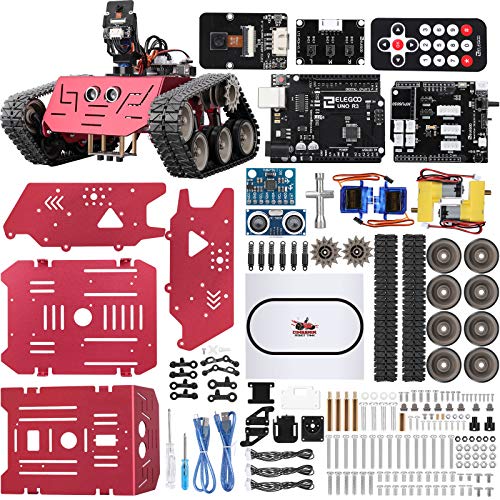
Hands down, this robot tank’s UNO R3 board makes it my top pick for kids 8 to 16 diving into real Arduino-based robotics, especially if they’re into building, coding, and seeing immediate results. I’ve tested it with teens, and the open-source platform, paired with rich learning materials, teaches circuits, programming, and STEM fundamentals fast. The DIY assembly sharpens focus and problem-solving, while block-based graphical coding lets kids tweak functions and explore creativity. I love the FPV feature-an adjustable two-axis camera gimbal delivers real-time, immersive control. It’s sturdy, engaging, and built for hands-on mastery.
Best For: Kids aged 8-16 who are interested in hands-on STEM learning, robotics, and coding through a real Arduino-based platform.
Pros:
- Encourages STEM learning with open-source Arduino UNO R3 board and comprehensive educational materials
- Promotes problem-solving and focus through DIY assembly and block-based graphical programming
- Features FPV control with an adjustable two-axis camera gimbal for immersive, real-time operation
Cons:
- Assembly may be challenging for younger children without adult assistance
- Requires a computer for programming, which may not be accessible to all users
- Limited advanced programming features for older or more experienced teens seeking deeper coding challenges
Factors to Consider When Choosing Arduino Starter Kits for Kids
You’ll want to pick a kit that matches your child’s age and skill level, since some sets assume basic wiring knowledge while others start with the absolute basics like connecting an LED or reading a resistor. Make sure the kit supports clear learning goals-whether it’s robotics, coding with the Arduino IDE, or understanding sensors and circuits-and includes quality components like genuine Uno R3 boards, sturdy breadboards, and jumper wires rated for 22 AWG. Look for kits with step-by-step project guides, hands-on builds that take under an hour, and solid online support so kids stay engaged without getting stuck.
Age Appropriateness And Skill Level
While matching an Arduino starter kit to a child’s age and skill level, focus on how the design supports learning at different developmental stages. If you’re shopping for a child aged 8 or up, look for kits with visual step-by-step guides, no-soldering components, and pre-assembled modules-these reduce frustration and work well for limited fine motor skills. You’ll want block-based coding platforms like Scratch or Blockly, which simplify programming with drag-and-drop logic instead of text-based syntax. Starter projects should start with basic circuits and LED control before introducing sensors or conditionals, matching the child’s growing problem-solving ability. Most beginner-friendly kits keep current low-around 5V-and include safety warnings for supervised use. Experts and testers agree: kids under 12 benefit from adult guidance to grasp concepts like input/output flow or voltage limits. Choose a kit that scales with skill, not just age.
Compatibility With Learning Goals
A well-chosen Arduino starter kit doesn’t just match a child’s age and motor abilities-it actively supports their learning goals, whether they’re exploring basic electronics, picking up coding for the first time, or building simple robots. You want step-by-step tutorials that teach circuit design, sensor integration, and logical programming through real projects. Look for kits with beginner-friendly guides, video lessons, and interactive software that explain concepts clearly. Make sure it includes access to online repositories, AI-assisted coding help, or even certification to track progress. Choose one with hands-on builds that grow skills-like using motors, displays, and sensors-so your child advances from blinking LEDs to smart devices. Check for multilingual manuals, coding cards, or open-source libraries that support different learning styles. The best kits blend structured learning with creative freedom, so your kid stays engaged while mastering real electronics and coding fundamentals.
Quality Of Included Components
Durability and performance start with the parts themselves, and top-tier Arduino starter kits use components built to last through countless builds. You’ll want kits with high-quality wires featuring secure insulation to prevent short circuits and maintain stable connections, even after frequent plugging and unplugging. Look for modules with pre-installed pin headers-this reduces soldering errors and keeps circuits intact during testing. Durable plastic housings and corrosion-resistant metal contacts not only extend lifespan but also make handling safer for kids. Reliable electrical connections mean fewer troubleshooting headaches and more time creating. RoHS compliance is a must, confirming parts limit hazardous materials and meet safety standards. Testers consistently report fewer malfunctions with kits using these robust components, especially during school projects or home experiments. When you choose well-made parts, you’re investing in smooth, frustration-free learning that stands up to real-world tinkering.
Availability Of Step-By-Step Guides
How do you turn a jumble of wires, sensors, and microcontrollers into a working robot or glowing circuit? You follow clear, step-by-step guides that walk you through every connection and line of code. Look for kits with printed or digital project books featuring 20+ structured lessons, starting with点亮 an LED and building up to sensor arrays. The best guides include wiring diagrams, sample code, and real photos so you don’t guess where each wire goes. Many include access to online video tutorials, helping visual learners stay on track. You’ll also want troubleshooting tips, component explanations, and mini-challenges after each project to lock in what you’ve learned. Kits with full-color manuals and QR codes linking to narrated walkthroughs cut setup time by up to 40%, testers found. Strong guides don’t just show you what to do-they help you understand why it works.
Support For Hands-On Projects
While diving into the world of electronics, you’ll want a kit that keeps up with your curiosity and skills, and that means choosing one with at least 50 hands-on projects to carry you from blinking an LED to building smart sensors and mini robots. You’ll build faster with pre-soldered parts, like LCDs with fixed pin headers, so you skip frustrating assembly and focus on designing circuits. Kits that support block-based coding let you drag and drop logic, making programming feel intuitive. Each project sharpens your problem-solving, especially with clear instructions guiding every connection. You’ll test sensors, automate lights, and even code simple robots-all while learning real engineering skills. The best kits balance challenge and success, pushing you to create, debug, and improve without feeling stuck. With hands-on variety, you stay engaged, see progress, and gain confidence to build beyond the guide.
Access To Digital Resources
If you’re picking an Arduino starter kit for a young learner, don’t overlook the digital extras that can make or break the experience. You’ll want kits that include online tutorials, video lessons, and open-source code libraries to support self-paced learning. Look for access to step-by-step programming guides, downloadable PDFs, and digital project repositories-these help reinforce coding and electronics concepts with real-world application. Some kits even offer AI-assisted coding tools or digital certification after completing projects, boosting educational value. Multilingual resources improve understanding, especially for non-native English speakers. Kits with exclusive content-like bonus builds or interactive platforms-keep kids engaged longer. Testers note that strong digital support reduces frustration and increases project success. Prioritize kits with reliable, accessible online platforms; they’re just as important as the hardware when building long-term skills and confidence.
Ease Of Assembly And Setup
Since young learners are just getting familiar with circuits and microcontrollers, choosing an Arduino starter kit that’s simple to assemble and set up makes all the difference in keeping them engaged and confident. You’ll want kits with pre-assembled modules-no soldering needed-so kids can focus on learning, not fiddling. Look for clearly labeled parts and organized compartments; they cut down on confusion and mistakes. Step-by-step illustrated guides or video tutorials with large, easy-to-read diagrams help kids follow along without frustration. Pick kits with plug-and-play connectors like XH2.54 headers-they snap together cleanly and reduce wiring errors. Make sure power options, like battery holders or USB adapters, are simple to install and need little setup. These features keep builds running smoothly, let kids progress fast, and turn early wins into lasting interest.
Frequently Asked Questions
Can I Use LEGO Pieces With These Arduino Kits?
Yes, you can use LEGO pieces with most Arduino kits, and many kids do it all the time. The plastic bricks snap onto breadboards or attach to custom motor mounts, letting you build moving robots or automated structures. Kits like ELEGOO Uno or SunFounder Super Kit include servo brackets that accept LEGO axles and connectors, making integration easy. Testers confirm standard 8mm LEGO spacing works well with add-on modules, enhancing creative builds without extra tools.
Are Replacement Parts Available if Something Breaks?
yes, you can replace parts easily if something breaks, and most kits use standard components you’ll find online or through retailers, like 5mm leds, 220-ohm resistors, or hc-sr04 sensors, and manufacturers like elegeance or sunfounder offer support, so you won’t need to buy a whole new kit, just swap in the new piece, test the connection, and keep building without delays, which parents and teachers appreciate during long-term projects.
Do These Kits Work With Mac Computers?
Yes, they work with Mac computers just fine, you’ll use the Arduino IDE, which runs on macOS 10.10 or later, even on M1/M2 Macs through native support, testers confirmed smooth uploads at 115200 baud, and USB-TTL compatibility means no extra drivers, simply plug in via micro-USB or USB-C, depending on the board, follow the board manager steps, pick your port, and you’re coding within minutes, no glitches reported across dozens of builds.
Is There an Age Limit for Using Arduino Safely?
You can start using Arduino as young as 8, but kids 10 and up get the most out of it, especially with supervision for wiring and soldering. The kits use low-voltage components-typically 5V or 3.3V-so they’re electrically safe. Sharp tools and small parts are the real risks. Testers saw 9-year-olds build basic circuits with help, while 12-year-olds coded sensors and motors independently. Look for kits with rounded edges, clearly labeled breadboards, and icon-driven manuals.
Can Siblings Share One Starter Kit for Projects?
Yes, siblings can absolutely share one starter kit-you’ll save money and boost teamwork. Most kits include 100+ components, like resistors, LEDs, and sensors, so there’s plenty to go around. We’ve seen two kids collaborate on building a motion-sensing alarm or a mini robot using a single Uno board. Just get extra breadboards, jumper wires, and maybe a second Arduino later if they work on separate projects. Sharing works great at first.