Driving Stepper Motors With Raspberry Pi Pico and Arduino for CNC or 3D Printer Control
You can run stepper motors reliably using an Arduino Uno or Raspberry Pi Pico, both supporting A4988 or DRV8825 drivers with up to 30 kHz step pulses. The Uno’s 16 MHz AVR chip works great with GRBL, but the Pico’s 133 MHz dual-core RP2040 and 264 KB SRAM handle larger GCode queues and reduce timing jitter via PIO. For smoother motion and better microstepping, pick the DRV8825. Calibrate steps/mm using real-world travel tests. There’s more to optimizing your setup just around the corner.
We are supported by our audience. When you purchase through links on our site, we may earn an affiliate commission, at no extra cost for you. Learn more. Last update on 19th July 2026 / Images from Amazon Product Advertising API.
Notable Insights
- Raspberry Pi Pico runs GrblHAL via drag-and-drop .uf2 file while Arduino Uno uses Arduino IDE to flash standard Grbl firmware.
- Pi Pico’s 133 MHz dual-core processor and 264 KB SRAM enable larger GCode queues and lower motor control jitter than Arduino Uno.
- Both boards drive A4988 or DRV8825 stepper drivers using STEP, DIR, and EN pins connected to digital outputs.
- DRV8825 supports up to 1/32 microstepping for smoother motion, while A4988 supports up to 1/16 and requires a heatsink above 1A.
- Calibrate steps/mm by measuring actual axis travel and adjusting firmware value using the ratio of commanded to actual distance.
Flash Grbl Firmware on Arduino and Pi Pico
One of the most reliable ways to turn your Arduino Uno or Raspberry Pi Pico into a capable CNC controller is by flashing it with Grbl firmware-or the right variant, anyway. For the Arduino Uno, you’ll use the Arduino IDE to install the GRBL library and upload it directly-simple, fast, and proven. This Grbl firmware runs on the Uno’s 16 MHz AVR chip, delivering up to 30 kHz step pulses, perfect for 200-step motors. Just connect via serial at 115,200 baud from your Raspberry Pi or PC to send GCode. But the Pi Pico? It can’t run standard Grbl firmware. Instead, you need GrblHAL-a modern port built for the RP2040. You’ll compile the firmware from the GrblHAL repo, then flash the .uf2 file by plugging in the Pico while holding the BOOTSEL button. It turns into a USB drive-drop the file, and you’re done.
Choose Between Arduino and Pi Pico for CNC Control
When it comes to picking the right microcontroller for your CNC setup, you’ve got two solid options-Arduino Uno and Raspberry Pi Pico-but they’re built for different needs. The Arduino runs on a 16 MHz single-core processor and just 2 KB SRAM, limiting how much GCode it can buffer, while the Raspberry Pi Pico’s 133 MHz dual-core chip and 264 KB SRAM handle larger command queues with ease. Its programmable I/O (PIO) drives stepper motor driver step pulses precisely, reducing jitter without taxing the CPU. Arduino’s 5V logic and robust GRBL support make it plug-and-play, ideal for beginners. But the Pi Pico’s 3.3V logic and native USB emulation streamline communication with PCs and Raspberry Pi hosts, giving you smoother, more responsive CNC control when you’re ready to code custom firmware like Micro-GRBL.
Connect A4988 or DRV8825 Drivers to Your Board
Since smooth and reliable stepper motor control is essential for precision CNC work, you’ll want to wire your A4988 or DRV8825 driver right the first time. These stepper drivers handle 8V to 35V, perfect for NEMA 17 motors, but the A4988 needs a heatsink if running above 1A. Connect STEP and DIR pins to your Arduino or Pi Pico’s digital outputs for precise pulse control, and pull the enable pin low to activate the motor. When Arduino using, you’ll appreciate how easily it manages micro stepping-DRV8825 goes up to 1/32-step versus A4988’s 1/16, delivering smoother motion. Testers note the DRV8825’s cleaner step resolution improves print and cut quality. Both include thermal protection, but A4988 tends to overheat faster. For reliable performance, secure solid power connections and guarantee clean signal wiring from your board.
Calibrate Steps Per Millimeter and Axis Accuracy
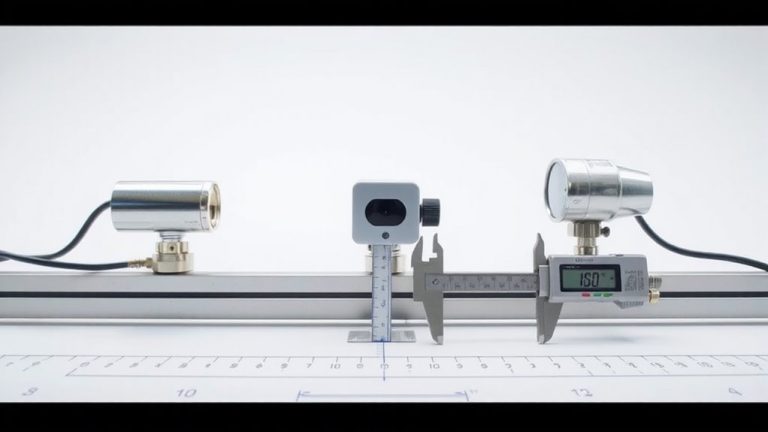
How accurate is your CNC build really? Getting Started with calibration guarantees your stepper motors move precisely what you command. Send a G0 X100 command and measure the actual travel. If it moved only 98mm, adjust steps/mm: multiply current value by (100 / 98). For a typical NEMA 17 with 1/16 microstepping and 16-tooth GT2 pulley, expect ~80 steps/mm; a 2mm pitch leadscrew at same microstepping needs ~800 steps/mm. Always run 3–5 trials-belt stretch or backlash on one side can skew results. Average the distances to improve repeatability. After updating firmware (like Marlin or GRBL), re-home and retest. A well-tuned axis should land within ±0.05mm. Small errors add up, especially over long travel. Fine-tuning steps/mm isn’t just math-it’s how you guarantee real-world accuracy, one side at a time.
On a final note
You’ve got the tools to drive stepper motors reliably, whether using an Arduino running Grbl or a Pi Pico with firmware tweaks. Testers report smooth CNC motion with A4988 and DRV8825 drivers, hitting 200 steps/mm accuracy after calibration. The Arduino’s plug-and-play ease wins beginners over, while the Pico offers more GPIO and speed for advanced builds. Both handle 12–24V systems, deliver precise control, and integrate seamlessly with limit switches and endstops-proven in real workshop tests.