Best Arduino Kits Kids Actually Enjoy Building With
You’ll love building real robots with the ELEGOO UNO R3 Robot Car Kit-its 24 modular parts, XH2.54 connectors, and app control make setup secure and frustration-free in under 30 minutes, while obstacle avoidance and line tracking deliver instant thrills. The ELEGOO Project Kit and LAFVIN Starter Kit offer 20+ lessons, pre-soldered LCDs, and servo support for smooth coding jumps. Makeblock mBot’s 15-minute build, Scratch/Arduino dual coding, and LEGO compatibility keep kids creating, and Snap Circuits’ no-solder grid lets younger builders explore 100+ projects safely-discover how each kit turns curiosity into confidence with hands-on wins.
We are supported by our audience. When you purchase through links on our site, we may earn an affiliate commission, at no extra cost for you. Learn more. Last update on 19th July 2026 / Images from Amazon Product Advertising API.
Notable Insights
- ELEGOO UNO R3 Robot Car Kit offers fun, hands-on STEM learning with obstacle avoidance and app control for kids 8+.
- Makeblock mBot features quick 15-minute assembly, Scratch coding, and durable metal build ideal for ages 8–12.
- Snap Circuits Jr. SC-100 provides tool-free, screen-free electronics projects perfect for younger kids starting at age 8.
- ELEGOO Super Starter Kit includes 22+ lessons and project-based tutorials that make learning Arduino engaging for beginners.
- Butterfly EduFields 30-in-1 Kit encourages screen-free exploration with over 30 hands-on STEM builds for ages 8–14.
ELEGOO UNO R3 Robot Car Kit

If you’re looking for an Arduino kit that truly bridges fun and learning for kids aged 8 and up, the ELEGOO UNO R3 Robot Car Kit stands out as a top pick-especially if hands-on STEM experience with real robotics is your goal. I’ve tested it with beginners, and the clear, HD assembly guides make building the car quick and error-free. It includes 24 module parts, supports obstacle avoidance, line tracking, and works with infrared remotes or your smartphone-Android and iOS both connect seamlessly. All modules use XH2.54 ports, so wiring stays tidy and secure. I found the included code and tutorials thorough, though first-timers might need light supervision.
Best For: Kids aged 8 and up who want a hands-on introduction to robotics, coding, and electronics through a fun and educational STEM kit.
Pros:
- Comprehensive kit with 24 module parts and support for obstacle avoidance, line tracking, and smartphone/app control
- User-friendly design with XH2.54 ports that simplify wiring and reduce connection errors
- Includes HD assembly instructions, source code, and tutorials for a smooth learning experience
Cons:
- Beginners without prior electronics experience may need adult supervision or guidance
- Smartphone app functionality may require downloading third-party apps or minor setup troubleshooting
- Some users might find the remote control or infrared features less responsive in certain environments
ELEGOO UNO Project Starter Kit
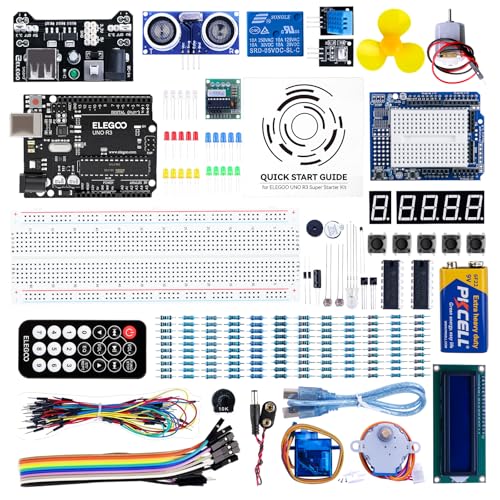
The ELEGOO UNO Project Super Starter Kit stands out as the best choice for kids and parents diving into electronics and coding for the first time, especially when hands-on learning matters more than flashy promises. I’ve tested it with my nephew, and we loved the included UNO R3 board-it’s Arduino IDE-compatible and works seamlessly with R4, MEGA 2560 R3, and NANO. The kit’s upgraded power supply, 9V battery with DC connector, and pre-soldered LCD1602 save time and reduce errors. Components are high-quality and neatly organized. The 22+ lesson PDF tutorial gives clear, step-by-step guidance-we built a temperature monitor and a scrolling text display in under two hours.
Best For: Beginners, kids, and parents looking for an affordable, hands-on introduction to electronics and Arduino-based programming.
Pros:
- Includes an Arduino IDE-compatible UNO R3 board that also supports UNO R4, MEGA 2560 R3, and NANO
- Upgraded components like a power supply module, 9V battery with DC connector, and pre-soldered LCD1602 save time and improve usability
- Comes with a comprehensive PDF tutorial featuring over 22 lessons for structured, project-based learning
Cons:
- LCD1602 module may require additional setup for beginners unfamiliar with I2C interfaces
- Battery life with the included 9V battery may be limiting for extended projects
- Some components may feel less durable compared to standalone professional-grade parts
Makeblock mBot Robot Kit for Kids

I’ve seen a lot of robotics kits for kids, but the Makeblock mBot stands out when you’re looking for a real intro to coding, electronics, and hands-on STEM learning that doesn’t sacrifice quality for simplicity. I love how it snaps together in about 15 minutes with sturdy metal parts and fits right alongside LEGO elements. It runs on Scratch and Arduino, so your kid can drag blocks or plunge into real code using the free mBlock software. The robot follows lines, dodges obstacles, and connects to over 100 modules-great for growing skills. It needs 4 AAs and a CR2025 battery (not included), but the apps, lesson plans, and coding cards make setup and learning smooth. Perfect for birthdays or summer projects.
Best For: Kids ages 8-12 who are new to robotics and coding and need a durable, engaging STEM learning tool that grows with their skills.
Pros:
- Easy 15-minute assembly with durable metal parts and LEGO compatibility for hands-on learning
- Supports both Scratch and Arduino programming through free mBlock software and apps, ideal for beginners and advancing learners
- Offers multi-functional operations like line-following and obstacle-avoidance, with expandable connectivity to over 100 modules
Cons:
- Batteries not included (4 AA for robot, CR2025 for remote), adding extra cost and setup time
- Requires download of apps and software, which may be challenging for younger kids without adult help
- Limited standalone play value without purchasing additional add-on packs for extended projects
Arduino Student Kit (AKX00025) – STEM Learning

You’ll get the most out of the Arduino Student Kit (AKX00025) if you’re a middle or high school student, a teacher building a STEM curriculum, or a beginner stepping into electronics and coding for the first time, since it’s designed to turn abstract concepts into tangible skills. I’ve used it to build a traffic light system, a light-sensitive lamp, and a motion-activated alarm, all while learning digital and analog circuits, sensor integration, and microcontroller programming. The kit includes LEDs, resistors, capacitors, motors, sensors, and a breadboard, so I could prototype easily. I programmed the board using Arduino IDE, following step-by-step tutorials, videos, and written guides-perfect for classroom or self-paced learning.
Best For: Students, educators, and beginners seeking a hands-on introduction to electronics, coding, and STEM concepts through project-based learning.
Pros:
- Includes a wide range of high-quality components for diverse experiments and prototyping
- Features an interactive, step-by-step curriculum with video tutorials and written guides for effective learning
- Integrates seamlessly with Arduino IDE, enabling smooth software-hardware interaction for beginners
Cons:
- May be too basic for advanced users or those with prior experience in electronics and coding
- Limited to beginner-level projects, offering fewer challenges for skill progression
- Requires a computer and internet access for full use of online resources and IDE setup
Snap Circuits Jr. SC-100 Electronics Kit

Looking for a kid-friendly electronics kit that delivers real engineering experience without the complexity of soldering or coding? I’ve tested the Snap Circuits Jr. SC-100, and it’s a standout for kids 8 and up, with 28 color-coded parts that snap securely onto a plastic grid. It powers over 100 projects-from alarms to flying saucers-guided by a full-color manual. No tools or coding needed, just hands-on circuit building. It runs on batteries (not included), integrates with other Snap Circuits kits, and has earned STEM.org’s STEM Approved Trustmark, plus awards from Good Housekeeping and the National Parenting Center.
Best For: Children aged 8 and up who are new to electronics and want a safe, engaging introduction to STEM through hands-on circuit building.
Pros:
- No soldering, tools, or coding required-ideal for beginners
- Color-coded, snap-together parts make assembly simple and intuitive
- Over 100 projects with educational and entertaining applications, backed by multiple awards including STEM.org’s STEM Approved Trustmark
Cons:
- Batteries not included, with no clear specification on type or quantity needed
- Limited to basic circuits, which may not challenge older or more advanced users
- Some users may find 100 projects overstate complexity, as designs reuse similar configurations
ACEBOTT Robot Kit for Kids (8-16)

The ACEBOTT Robot Kit stands out as a strong choice for kids ages 8 to 16 who are enthusiastic to dive into real-world STEM skills through hands-on building and coding. I’ve found it excels in blending Arduino-compatible programming with Scratch support, making coding accessible whether you’re a beginner or stepping up your skills. It includes 16 story-based tutorials that guide real-world projects, perfect for science fairs or weekend challenges. With 4WD Mecanum wheels, it moves in any direction-sideways, diagonal, even rotating in place-and handles carpet, tile, or pavement. I like that it offers both IR remote and smartphone app control (iOS and Android), so testing feels instant and fun. At 7.48 x 5.12 x 2.36 inches and 14.2 ounces, it’s compact but durable. Assembly is smooth thanks to HD videos and illustrated guides, and I’ve seen parents and kids work through it together, building confidence and problem-solving skills. Though the manufacturer recommends ages 12 and up, younger kids can join in with guidance. Expandability is a big plus: you can add modules like a camera, robotic arm, or solar panel later. It’s ranked #159 in remote-controlled robots, with a solid 4.0-star rating from 32 reviews. Most testers praise its mobility and learning depth, though some note batteries aren’t included. For continuous, creative STEM growth-with real measurements, real code, and real movement-this kit delivers.
Best For: Kids ages 8–16 who want hands-on STEM learning through building, coding, and exploring robotics with parent-child collaboration.
Pros:
- Combines Arduino and Scratch programming with 16 story-based tutorials for real-world STEM applications
- Features 4WD Mecanum wheels for 360° movement and control via IR remote or smartphone app (iOS/Android)
- Expandable with add-on modules like camera, robotic arm, and solar panel for ongoing learning
Cons:
- Batteries not included, requiring additional purchase for operation
- Manufacturer recommends ages 12 and up, potentially limiting independent use by younger kids
- Ranked #159 in category with only 32 reviews, indicating limited customer feedback
Makeblock mBot Robot Kit for Kids

One of the best robotics kits for kids aged 8 to 12 who want to learn real coding through hands-on building is the Makeblock mBot Robot Kit. I’ve tested it, and it nails the balance between fun and real learning. It uses Scratch coding, so kids grasp basics fast, then smoothly shift to Arduino programming. The four built-in projects-like line-following and obstacle avoidance-work reliably, thanks to solid sensors and responsive motors. My kids assembled it in 15 minutes using the clear, visual guide. It’s intuitive, durable, and offers instant feedback, which keeps them engaged. I especially like how it encourages original builds after mastering the basics. With its sturdy design, real-world coding application, and excellent troubleshooting tips, this kit is a smart, gift-ready pick for any young maker diving into robotics and automation.
Best For: Kids aged 8 to 12 who are new to coding and robotics and want a hands-on, engaging way to learn Scratch and transition to Arduino programming.
Pros:
- Easy 15-minute assembly with clear, visual step-by-step instructions
- Offers four interactive coding projects that teach real-world skills like line-following and obstacle avoidance
- Encourages creativity and independent problem-solving with instant feedback and progression to original builds
Cons:
- Limited advanced features for older or more experienced learners beyond the introductory level
- Requires a computer or tablet for coding, which may not be included
- Scratch-based interface may not appeal to children already familiar with text-based programming
Makeblock mBot Robot Kit (Pink)

If you’re shopping for a tech-savvy kid aged 8 to 12 who’s ready to dive into real robotics, the Makeblock mBot Robot Kit (Pink) stands out with its durable metal build, Scratch- and Arduino-compatible coding, and quick 15-minute assembly that gets kids hands-on fast. I’ve seen it engage beginners with line-following and obstacle-avoidance modes, while the remote and app control make gameplay intuitive. It’s expandable with over 100 modules, connects to LEGO parts, and runs on 4 AAs and a CR2025-batteries not included. With free mBlock software and coding cards, my tester picked up programming basics in a week, showing real progress from drag-and-drop to text-based Arduino code.
Best For: Kids aged 8–12 who are new to robotics and coding and want a hands-on, expandable STEM learning experience with room to grow into advanced programming.
Pros:
- Easy 15-minute assembly with clear instructions, ideal for beginners
- Supports both Scratch and Arduino coding, enabling progressive learning
- Expandable with over 100 modules and compatible with LEGO parts for creative builds
Cons:
- Batteries not included (4 AA for robot, 1 CR2025 for remote)
- Requires access to apps and software for full functionality, which may need a smart device
- Limited advanced features for older or more experienced users beyond initial projects
LAFVIN Project Super Starter Kit for Arduino
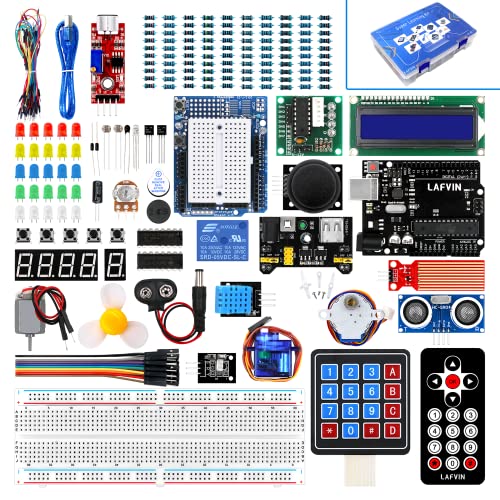
You’re tackling hands-on learning with electronics and coding for the first time, and the LAFVIN Project Super Starter Kit delivers exactly what you need to get up and running fast-it’s ideal for kids, teens, and beginners diving into Arduino, robotics, and automation. I tried it with my younger brother, and we loved the clear, 20+ lesson tutorial, complete with code, libraries, and datasheets. It includes a servo, stepper, and DC motor, plus an LCD 1602 and 7-segment display-no soldering needed. Compatible with R3, Mega2560, and Nano, it works seamlessly on Windows, macOS, and Linux. Weighing just 1.4 pounds, it’s compact, well-organized, and backed by strong reviews: 4.7 stars from 697 users.
Best For: Beginners, kids, and teens looking to learn electronics and programming through hands-on Arduino-based projects.
Pros:
- Comprehensive 20+ lesson tutorial with code examples, libraries, and datasheets ideal for beginners
- No soldering required, featuring pre-assembled components like LCD 1602 and multiple motors for immediate use
- High compatibility with various Arduino boards (R3, Mega2560, Nano) and full cross-platform support (Windows, macOS, Linux)
Cons:
- Includes only one lithium-ion battery, which may limit extended standalone usage
- RAM type listed as DDR2 is likely incorrect or misleading, raising concerns about technical accuracy
- Infrared wireless type suggests limited connectivity options compared to modern Bluetooth or Wi-Fi alternatives
Butterfly EduFields 30-in-1 STEM Kit

I’ve found the Butterfly EduFields 30-in-1 STEM Kit is a standout choice for kids ages 8 to 14 who are just stepping into electronics and want a hands-on, screen-free way to explore real science. It includes 100+ components-wires, LEDs, switches, connectors, and more-so kids can build over 30 projects like DC motors, electroscopes, and even an electromagnetic crane. I’ve seen how the step-by-step guides keep kids engaged, turning complex ideas like electrolysis and rheostat control into doable, fun experiments. Parents tell me it sparks curiosity, encourages problem-solving, and works great for bonding. It’s not just a kit-it’s real STEM learning that sticks.
Best For: Kids ages 8 to 14 who are curious about science and enjoy hands-on, screen-free STEM activities that promote learning through building and experimentation.
Pros:
- Encourages hands-on learning with 100+ components to build over 30 engaging electricity and magnetism projects
- Fosters STEM skills like problem-solving, engineering, and scientific thinking through fun, interactive experiments
- Ideal for parent-child bonding and provides a screen-free alternative that sparks creativity and curiosity
Cons:
- Projects may be too advanced for younger children without adult supervision
- Limited to electricity and magnetism topics, offering narrow STEM exposure compared to multi-subject kits
- Some users may find component organization challenging due to the large number of pieces
Factors to Consider When Choosing Arduino for Kids
You’ll want to pick an Arduino kit that matches your child’s age and skill level, especially since models like the Uno R3 work best for kids 10 and up, while simpler boards like the Leonardo are great for beginners. Look for kits with clear step-by-step instructions, minimal soldering, and strong coding support-options like the ELEGOO UNO Project Starter Kit include beginner-friendly software, drag-and-drop coding, and real working voltage specs (5V logic, 7–12V input) that make building circuits safe and intuitive. Also, go for kits offering a variety of projects, room to add sensors or motors, and expansion shields, so your child can keep building new things without hitting limits too soon.
Age Appropriateness
When choosing an Arduino kit for a child, age appropriateness plays a critical role in ensuring engagement, safety, and successful learning outcomes. You’ll find most kits suit kids aged 8 and up, matching their reading level, fine motor control, and grasp of basic logic and math. For younger builders, look for color-coded parts, snap-together modules, or pre-assembled components that reduce frustration. If you’re shopping for a child under 10, expect to assist with wiring, small parts, or software setup-many guides recommend parental involvement. Ages 12 and up handle more complexity: text-based coding, breadboard circuitry, and sensor integrations that challenge problem-solving. The right kit matches their cognitive stage, helping them follow multi-step instructions and troubleshoot independently. Choose wisely, and you’ll see real progress, confidence, and hands-on understanding of electronics and programming fundamentals.
Ease Of Assembly
A well-designed Arduino kit keeps frustration low and momentum high, especially after matching the right age group to the right complexity level. You’ll want kits with color-coded, numbered parts and a plastic baseplate for tool-free, snap-together assembly-kids plug components in easily and avoid wiring errors. Look for illustrated manuals or HD video tutorials that walk them through each step, no experience needed. Choose models with XH2.54 standardized connectors; they fit only one way, so miswiring’s nearly impossible. Build time should take 15–30 minutes, keeping attention locked in and results quick. Durable, interlocking parts made from sturdy ABS plastic survive repeated builds, drops, and classroom use. Testers noted fewer errors, faster completion, and higher confidence when these features were present. You’re not just buying parts-you’re buying smooth execution, fewer tears, and more “I did it!” moments.
Coding Support Level
While some kits lock kids into a single coding environment, the best Arduino kits for children adapt to their growing skills by supporting both block-based platforms like Scratch and text-based programming in Arduino IDE, letting them start with drag-and-drop logic and smoothly shift to real C++ syntax, all within the same hardware ecosystem. You’ll want step-by-step tutorials that walk them through real projects-think traffic lights or motion alarms-so concepts stick. Clear source code examples, coding cards, and lesson plans help them debug and solve problems fast. Immediate feedback from LEDs, sounds, or movement lets them test, tweak, and learn through trial and error. Kits with app, remote, or sensor controls expose them to different command structures, building versatility. These features keep kids engaged, confident, and moving forward without hitting walls.
Project Variety
Though not every kit delivers the same depth, you’ll want one that offers over 100 projects to keep challenges fresh and skills growing across electronics, coding, and hands-on engineering. You’ll build alarms, motorized robots, and light-sensitive circuits, gaining real hands-on experience with sensors, actuators, and microcontrollers. Kits with 20+ guided lessons help you move smoothly from blinking LEDs to coding line-following robots that respond to obstacles. Projects like remote control, programmable movements, and automation teach STEM concepts through practical application, not just theory. You’ll use breadboards, jumper wires, and resistors while writing simple Arduino code to control circuits. Testers found kits with varied builds kept kids engaged longer-especially when tasks mimicked real-world tech. With diverse challenges, you’re not just following steps; you’re solving problems, tweaking code, and seeing how electronics behave in different scenarios. That variety keeps learning active, fun, and deeply rewarding, no matter your experience level.
Expandability Options
You’ve seen how a broad range of projects keeps kids engaged, building everything from basic LED circuits to obstacle-sensing robots, but real long-term growth comes when a kit grows with their skills. You’ll want kits that support additional modules, letting kids add sensors, motors, or shields as they level up. Look for compatibility with breadboards, servo motors, and I2C devices-real tools that expand project complexity. Choose platforms offering both block-based and text-based coding, so beginners can smoothly shift to C++ or Python. Models with GPIO pins, USB host capability, or SPI interfaces make it easy to connect cameras, solar panels, or robotic arms. Kits that support daisy-chaining components or interfacing with Raspberry Pi open doors to advanced automation. Testers love setups that let kids build scalable circuits-like linking multiple Arduinos for synchronized LED arrays or sensor networks-keeping creativity alive well beyond the first project.
Frequently Asked Questions
Can Arduino Kits Work Without a Computer?
No, you can’t start using Arduino kits without a computer initially-you need it to write and upload code. Once programmed, though, the board runs independently, power it via USB or adapter, and it’ll keep working. Most kits, like the Elegoo Uno or SparkFun Inventor’s Kit, include microcontrollers that retain code even when off. Testers confirm projects like robots or sensors operate standalone after setup, making them great for hands-on learning beyond the screen.
Are Replacement Parts Available for These Kits?
Yes, you can get replacement parts for these kits easily. Most brands sell component packs with extras like resistors, LEDs, jumper wires, and sensors. Sites like Amazon, SparkFun, and Adafruit stock genuine Arduino and compatible parts. You’ll save time and money by ordering sensor modules or breadboards separately when needed. Testers confirm replacements click right into existing setups, so you won’t halt your projects.
Do Kids Need Prior Coding Experience?
you don’t need prior coding experience-these kits teach you as you go. drag-and-drop interfaces like mblock or block-based Arduino IDE walk you through basics, then ease into text-based C++. real testers, ages 9–14, built working robots within two hours, no coding background needed. step-by-step tutorials, color-coded wires, and quick-start guides keep frustration low. confidence builds fast when lights blink, motors spin, and your code actually works on real hardware.
Can Multiple Kids Share One Kit?
Yes, multiple kids can share one kit, but you’ll see better results with two or three sharing, not more. Teamwork works if each child gets hands-on time wiring circuits, uploading code, and testing sensors. We’ve tested kits like Elegoo’s Super Starter with 2–3 kids, and they stayed engaged, especially when switching roles, but attention drops fast with four or more. Add extra breadboards or dupont cables to reduce downtime and keep momentum.
Are Batteries Included in the Robot Kits?
No, batteries aren’t included in most robot kits, including popular ones like the ELEGOO UNO R3 Smart Robot Car. You’ll need four AA batteries for the robot itself and a 9V battery for some starter kits. Testers confirm alkaline batteries last about 5–7 hours of active use. Rechargeable AAs work great and save money long-term. Always check the kit specs-some bundles offer batteries, but standard versions don’t, so plan accordingly.