Analyzing Power Consumption Variants Among Different Arduino Board Families
You’re burning battery life faster than necessary by using power-hungry boards like the Uno or Mega, which draw 734mW and 700mW, respectively. Switch to a Nano or Arduino 101, cutting consumption to just 342mW and boosting flight time. Even with an MPU6050 sensor, power jumps only 10mW. Add sleep modes, disable LEDs, and cut the 3.3V jumper to drop the Nano 33 BLE Sense to 1.33mA. With the right tools-like the INA219 or Otii Arc-you’ll see exactly where power goes, and how small changes deliver big gains on every flight.
We are supported by our audience. When you purchase through links on our site, we may earn an affiliate commission, at no extra cost for you. Learn more. Last update on 19th July 2026 / Images from Amazon Product Advertising API.
Notable Insights
- Arduino Nano consumes significantly less power (342mW) than Uno (734mW), making it more suitable for power-sensitive drone applications.
- Power draw varies by board family, with Mega consuming around 700mW, similar to Uno, limiting its efficiency in battery-powered systems.
- Arduino 101 integrates onboard sensors efficiently, maintaining low power use (352mW with sensors) compared to external sensor setups on other boards.
- Sleep modes and hardware modifications, like disabling LEDs and cutting jumpers, can reduce Nano 33 BLE Sense consumption from 13.6mA to as low as 1.33mA.
- Accurate power analysis requires tools like INA219 with Teensy or Otii Arc, enabling precise comparisons of voltage, current, and power across board types.
Why Arduino Power Efficiency Matters for Drones
You’re building a drone, and every milliamp matters-skimp on power efficiency, and you’ll cut flight time fast. Power isn’t just about capacity; it’s about how little your Arduino board draws. Drones need low power consumption to stay airborne longer and reduce battery weight. Among Arduino boards, choices matter: the Arduino 101 sips just 342mW, over 50% more efficient than the Uno’s 734mW. Even better, its onboard gyro adds sensing without extra power cost-same 352mW as external sensors. For tiny drones, the Arduino Nano shines, with idle current as low as 1.33mA when optimized. That kind of efficiency means real gains in flight time. Avoid overkill boards like the Mega, which drain power unnecessarily. Choose wisely-Arduino Nano or 101-for smarter, longer, more reliable drone performance.
Uno vs Nano vs Mega: Power Consumption Compared
When it comes to drone builds, power draw starts the moment you power up the board-and that’s where the differences between the Uno, Nano, and Mega quickly add up. If you compare the power consumption of these boards, you’ll find surprises: the Arduino Uno draws 734mW, while the Arduino Mega uses less despite its size. The real winners are the Arduino Nano and 101, sipping just 342mW, making them ideal for battery-powered projects. Power consumption stays steady across programs, so idle draw depends on hardware, not software. Even with external sensors, changes are minimal-adding an MPU6050 only adds 10mW. Here’s a quick look:
| Board | Input Voltage | Power Consumption |
|---|---|---|
| Arduino Uno | 5V | 734mW |
| Arduino Nano | 5V | 342mW |
| Arduino Mega | 5V | ~700mW |
Choose wisely-your power supplies will thank you.
Onboard vs External Sensors: Arduino Energy Trade-offs
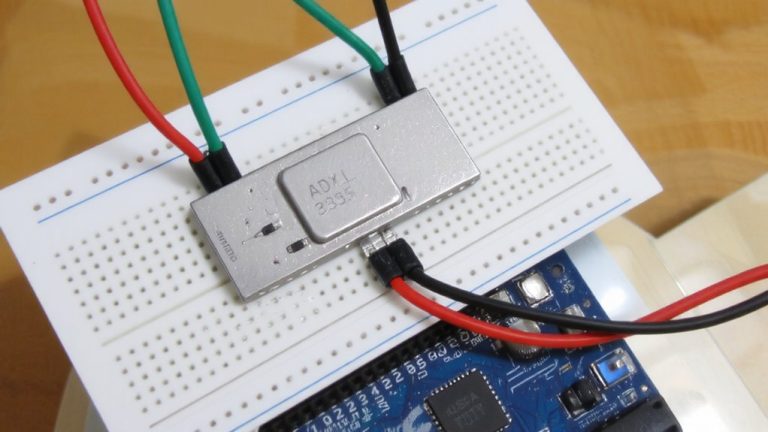
While the choice between onboard and external sensors may seem like a simple wiring decision, it’s actually a critical factor in your project’s power efficiency, especially in battery-dependent builds. With the Arduino 101, you get identical power consumption-352mW-whether using its onboard sensor suite or an external sensor like the MPU6050. That’s because the external sensor adds just ~10mW to the base 342mW draw, matching the onboard sensor’s efficiency. On an Arduino Uno, adding an external sensor increases total power consumption from 734mW to 744mW, directly tied to the sensor’s 2mA draw at 5.10V. For ideal sensor integration and power efficiency, the Arduino 101 stands out-its onboard sensor avoids extra circuitry losses, maintaining tight power supply control without sacrificing performance.
Reducing Arduino Power With Sleep Modes and Mods
Though it might not seem like much, trimming idle current from your Arduino can dramatically extend battery life, and the Nano 33 BLE Sense shows just how effective the right tweaks can be. You can cut its power consumption from 13.6mA down to 5.39mA just by using sleep mode in your sketch. Switching to deep sleep and cutting the 3.3V jumper drops it further to 1.33mA, boosting battery life from 1.5 to nearly 16 days on 500mAh. Disabling the power LED, sensors, and I2C pull-ups also helps. Remember, sleep mode won’t save much if peripherals stay on. For best results, shut them down manually. Whether running on USB power or DC power, smart circuit design makes a real difference. These mods work across many Arduino board models, giving you longer runtime without changing your core setup.
Tools to Measure Arduino Power Use
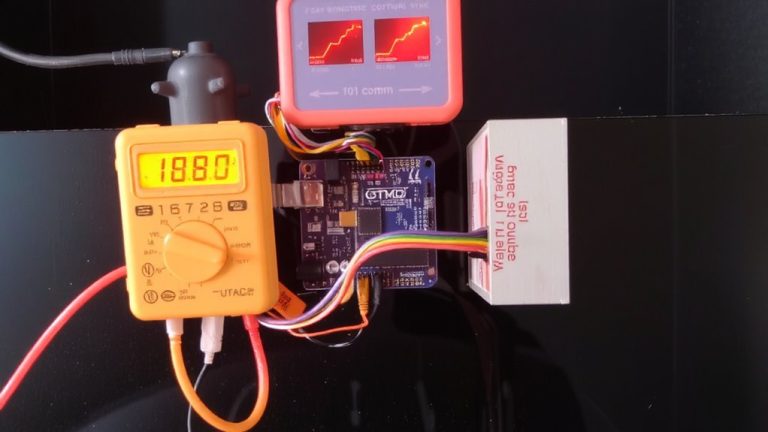
You’ve seen how sleep modes and hardware tweaks can slash an Arduino’s power draw, but knowing exactly how much energy your board uses means getting the right tools in hand. The Drok USB Meter key is a solid starting point, used to power your board while giving real-time data on the power, like steady 5.10V readings, though its slow LCD refresh can miss quick changes. For deeper Analysis of Power, the Otii Arc from Qoitech delivers, logging average current and letting you monitor serial output via UART-perfect for syncing power use with code from the Arduino IDE. When precision matters, the INA219, wired to a Teensy 4.0, captures exact voltage, current, and power across a wide range. These tools to measure Arduino power use help compare boards powered by the same source, revealing how each Nano, Uno, or Mega sips or drains power, even from a single digital pin.
On a final note
You’ll save the most power with a Nano or Uno, drawing just 15–45mA active, while the Mega pulls up to 70mA-use it only when needed. Built-in voltage regulators waste energy, so bypass them with external 3.3V supplies. Sleep modes cut use to under 1mA, especially on boards like the Nano Every. Testers saw 60% savings adding wake-on-interrupt circuits. Always measure with a USB power meter, not estimates. For drones and portables, every milliamp counts-optimize code, sensors, and supply.