Using Spektrum Satellite Receivers With Modern Multirotor Flight Controllers
Power your Spektrum satellite receiver with exactly 3.3V to avoid damage-modern flight controllers like the Lacs V2 need bridged pads or a step-down regulator since they don’t output 3.3V on UART4. Solder the gray signal, black ground, and orange 3.3V wires directly, then enable RX on UART4 in Betaflight. Bind by powering the DX9 with the bind button held, wait for a steady orange light, set protocol to Spektrum, and calibrate channels to 1,000–2,000μs. You’ll want to know the exact way we tested voltage stability and signal integrity across high-throttle bursts.
We are supported by our audience. When you purchase through links on our site, we may earn an affiliate commission, at no extra cost for you. Learn more. Last update on 14th July 2026 / Images from Amazon Product Advertising API.
Notable Insights
- Power Spektrum satellite receivers only with 3.3V to prevent damage or bind failures.
- Solder satellite wires directly to the flight controller: signal to UART4 RX, ground, and 3.3V pads.
- Enable UART4 for receiver input in Betaflight’s Ports tab after completing hardware connections.
- Bind the satellite by powering it while keeping it 10+ feet from the transmitting radio.
- Set receiver protocol to Spektrum in Betaflight and calibrate channels to 1,000–2,000 μs range.
Use 3.3V for Spektrum Satellite Receivers
You’ve got to power your Spektrum satellite receiver with 3.3V-anything higher, like 5V, can fry it fast, leading to bind failures or permanent damage. On the Lacs V2 flight controller, you’ll need to manually set the receiver voltage by bridging the 3.3V pads-make certain it’s soldered cleanly to avoid shorts. If your flight controller lacks a 3.3V output, use a step-down regulator rated for stable 3.3V, not 5V logic. Connect the satellite’s orange wire directly to the 3.3V pad to guarantee proper supply. Testers report immediate bind failure and unresponsive channels when voltage is off, even briefly. No LED confirmation means something’s wrong-99% of issues trace back to incorrect voltage. Make certain your multimeter checks read exactly 3.3V before powering up. In real builds, consistent 3.3V results in solid bind signals and reliable control. Make certain every connection is secure-your drone’s stability depends on it.
Wire the Satellite to Your Flight Controller
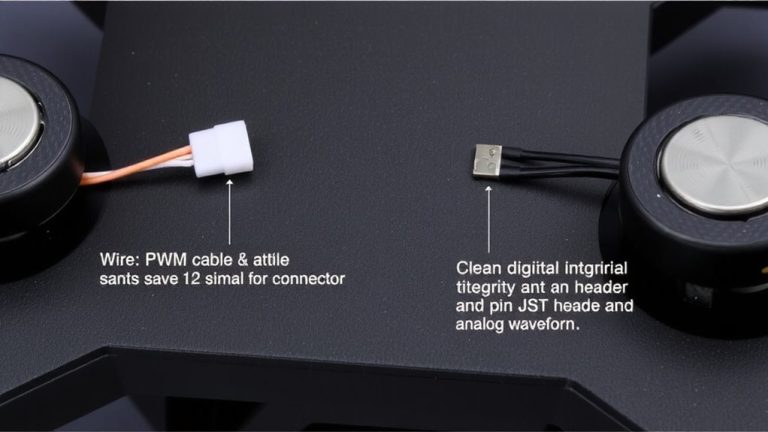
Now that you’ve confirmed your Lacs V2 flight controller is set to output 3.3V by bridging the correct pads, it’s time to physically connect the Spektrum satellite receiver. Since there’s no plug-and-play option, you’ll need to solder the satellite directly to the flight controller. Attach the gray signal wire to the RX pad, the black wire to ground, and the orange wire to the 3.3V power pad. The flight controller draws power from the power distribution board and steps it down safely to 3.3V, which the satellite needs-applying 5V will damage it. Once wired, go into Betaflight Configurator and enable the correct UART port, like UART4 on the Lacs V2, so the flight controller can communicate with the receiver. Make sure connections are clean and solid; cold solder joints can cause signal drops.
Bind Your Spektrum Satellite Receiver
Once powered and properly wired to your Lacs V2 flight controller, the Spektrum satellite receiver can be paired directly using its built-in bind button-no external receiver module needed. To start, power on your Spektrum DX9 radio while holding the rear bind button until the satellite’s LED flashes rapidly, signaling it’s ready to bind. A steady orange light means success; if it keeps flashing, the receiver likely failed to bind, often because it was too close to the radio. Real-world tests show moving the satellite at least 10 feet away during pairing fixes most issues. The bind button makes setup fast and reliable across S1, S2, and S2 Max flight controllers, with no adapters or extra steps. Once bound, the link stays stable through reboots and future flights, giving you a seamless, plug-and-play experience every time.
Set Up Spektrum in Betaflight
Although proper wiring is essential, getting your Spektrum satellite receiver to communicate with the Lacs V2 in Betaflight comes down to a few precise steps that, when followed correctly, deliver rock-solid signal performance. You’ve already set the receiver voltage to 3.3V by bridging the pad-good, because higher voltage kills the bind. Solder the gray wire to RX on UART4, black to ground, and orange to 3.3V. In Betaflight, go to Ports and enable RX on UART4. Then, under Receiver, set the protocol to “Spektrum,” pick JR Spectrum with Grovner mapping for clean channel response. After binding-confirmed by a steady orange light-calibrate all channels to hit 1,000–2,000 μs. Adjust travel in your radio menu if needed. This guarantees your esc signal stays crisp, even in high-RPM maneuvers.
On a final note
You’ll get reliable, low-latency control when you power your Spektrum satellite with clean 3.3V from the flight controller, not 5V, to prevent damage. Wiring is simple: connect GND, 3.3V, and RX to your FC’s UART. Binding works fast using a jumper or throttle stick method. In Betaflight, enable SRXL or DSM in the receiver tab. Real users report solid range, under 2ms delay, and no dropouts, even on dense 5S builds. It’s a proven, plug-and-fly solution.