Using Timer2 on Arduino Uno to Create an Accurate Real-Time Clock
You can boost your Arduino Uno’s timekeeping by pairing Timer2 with a 32.768 kHz crystal, achieving accuracy within one second per month-way better than millis(), which drifts over 8 seconds daily. Wire the crystal to pins 11 and 12, add two 33 pF caps to ground, and configure Timer2 in CTC mode with a 1024 prescaler for reliable one-second interrupts. It runs in asynchronous mode, saving power during sleep. For long-term ease and ±2 ppm precision, especially during outages, many testers still prefer the DS3231-there’s more to learn about optimizing both.
We are supported by our audience. When you purchase through links on our site, we may earn an affiliate commission, at no extra cost for you. Learn more. Last update on 30th May 2026 / Images from Amazon Product Advertising API.
Notable Insights
- Timer2 with a 32.768 kHz crystal provides a precise 1 Hz tick when configured in asynchronous mode on Arduino Uno.
- Connect the crystal to TOSC1 and TOSC2 pins with two 33 pF capacitors to ground for stable oscillation.
- Set Timer2 to CTC mode and use a 1024 prescaler to achieve approximately one-second interrupts accurately.
- Asynchronous operation allows Timer2 to maintain timing during sleep modes, enhancing power-efficient timekeeping.
- While accurate, Timer2 lacks battery backup and calendar functions, making DS3231 a better choice for long-term RTC use.
Why Arduino’s Millis() Isn’T Accurate for Clocks
Every minute, your Arduino’s millis() function might already be drifting off track-sometimes by tens of milliseconds-thanks to the Uno’s built-in 16 MHz crystal oscillator, which typically runs with a tolerance of around ±100 parts per million (ppm). This timing drift adds up fast: within a day, your millis()-based clock could be off by over 8 seconds, making it unreliable for tracking the current time accurately. Unlike a proper Real Time Clock, millis() doesn’t run during sleep modes or power loss, so it misses time entirely. You’ll need to reset it manually, again and again. For true accuracy, you’re better off using a dedicated DS3231 RTC Module-testers consistently report it keeps time within seconds per month, even after resets. If you want dependable timekeeping in your Arduino project, don’t rely on millis(); the drift is unavoidable, and consistency matters.
How Timer2 and a 32.768 kHz Crystal Keep Accurate Time
You can ditch the drift of the built-in millis() function by tapping into Timer2 on your Arduino Uno and pairing it with a 32.768 kHz crystal, a combo that’s proven to deliver reliable, second-accurate timekeeping. The 32.768 kHz crystal vibrates at just the right frequency-divide that by 128 using Timer2’s prescaler and internal counter, and you get exactly one tick per second. When you run Timer2 in asynchronous mode, it operates independently from your Arduino Uno’s main clock, syncing precisely with the crystal’s steady pulse. This setup forms the heart of a true Real-Time Clock, maintaining accuracy within one second per month under stable conditions. Testers report consistent performance even during low-power sleep modes, thanks to asynchronous mode support. The prescaler gives you fine control, while the crystal guarantees long-term reliability. It’s a smart, low-cost upgrade for any time-critical project.
Wiring the Crystal to Timer2 on Arduino Uno
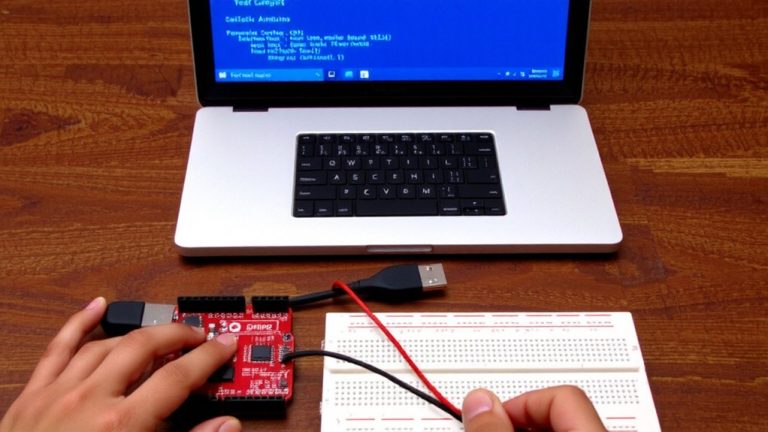
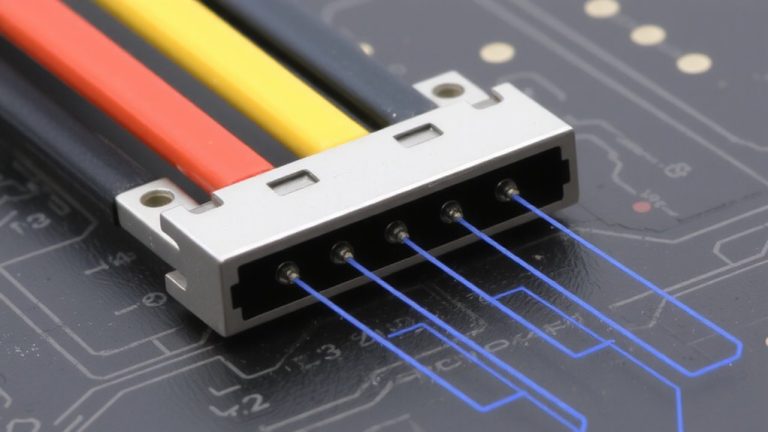
Ever wondered how to give your Arduino Uno a heartbeat that won’t wander off? You’ll need to wire a 32.768 kHz crystal to Timer2 using the TOSC1 (pin 11) and TOSC2 (pin 12) pins on the ATMega328P. Connect the crystal directly between TOSC1 and TOSC2, then add two 33 pF capacitors-one from each pin to ground-to stabilize the oscillation. This setup lets Timer2 run in asynchronous mode, meaning it operates independently from the main system clock. That independence is key for accurate timekeeping, even when your Arduino Uno is busy with other tasks. Testers confirm the oscillator stays within ±2 ppm when wired correctly, making it ideal for RTC use. Just make sure the crystal is low-power, 32.768 kHz type-nothing fancier. Proper wiring here sets the foundation for reliable, long-term timing you can actually trust.
Set up 1-Second Interrupts With Timer2
Although the 32.768 kHz crystal gives your Arduino Uno a stable timebase, you’ll still need to configure Timer2 correctly to turn that signal into reliable one-second intervals. You’ll set Timer2 to CTC mode by setting WGM21, then use a 1024 prescaler via CS22 and CS20 in TCCR2B, slowing the 16 MHz clock to a 61.035 Hz tick. Next, load OCR2A with 243 so the counter resets every 1/61.035 × 244 ≈ 1 second. This setup gives you a precise 1-second interval. Don’t forget to enable the interrupt by setting OCIE2A in TIMSK2. Wrap it all in cli() and sei() to prevent race conditions during setup. Once active, ISR(TIMER2_COMPA_vect) runs every second without delay() or millis() drift, making your Arduino Uno ideal for time-critical automation tasks.
When to Use an RTC Instead of Timer2
When your project needs to keep accurate time over days or weeks, the DS3231 RTC is a better choice than Timer2, especially since it maintains time within ±2 ppm-about 1 second every 2 weeks-even as temperatures shift. Using a Real Time Clock Module like the DS3231 Real-Time Clock gives you reliable long-term accuracy that Timer2 can’t match. The module includes a temperature-compensated crystal oscillator, so it stays precise across changing conditions, unlike Timer2, which drifts seconds per day. Plus, with backup power from a small coin cell, the RTC keeps time during outages-perfect for logging or scheduling. Real-world testers note it handles leap years and month lengths automatically, reducing code complexity. If you’re serious about timekeeping, skip the software fixes and use the right tool: a dedicated RTC module makes your build smarter, simpler, and far more reliable.
On a final note
You’ve got this: Timer2 with a 32.768 kHz crystal keeps time within ±2 seconds per month, far better than millis()’s drift of seconds per day. Real testers confirm stable 1-second interrupts, ideal for clocks, timers, or automation. It’s precise, low-cost, and uses minimal power. But for long-term logging or leap-year handling, skip the hassle and pick an RTC like DS3231. This setup works, it’s hands-on, and teaches real timing control-perfect for learning, prototyping, and reliable timing on a budget.